Checking for Updates
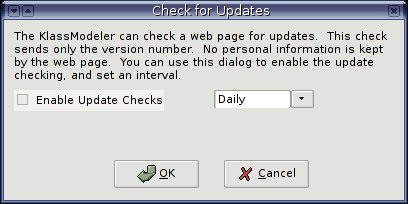
The KlassModeler can be set to check a web page to see if there are
any updates available. By default this feature is turned off, but if
you'd like to enable it choose the "Check for Updates" option in the
"Settings" menu. Here you can enable or disable the check, and set if
you'd like it to try daily, weekly, or monthly. The actual check
itself will happen when you start up the KlassModeler.
It's worth stating that I am not doing anything evil with this check.
The KlassModeler only sends a very simple HTTP Get request to a web
page on my server. The request includes only the version of the
KlassModeler you are currently running. I am currently saving the
version number and time of request in a database (just because I'm
curious to see if people keep using the KlassModeler). I am not
saving any personal info, only the version number and the time. If an
update is available the web page will respond with the new number and
a brief changelog, which KlassModeler will show you. Again this
option is turned off by default, you'll have to turn it on if you want
to try it out.